Payday-aware daily number
Bills due before your next payday are set aside first. Weekly, fortnightly and monthly paydays supported.
offline · private · rand-first
Cryxel Ledger is a personal-finance app for Windows that lives entirely on your PC. No bank logins. No cloud account. Built around rands, payday and how South Africans actually spend.
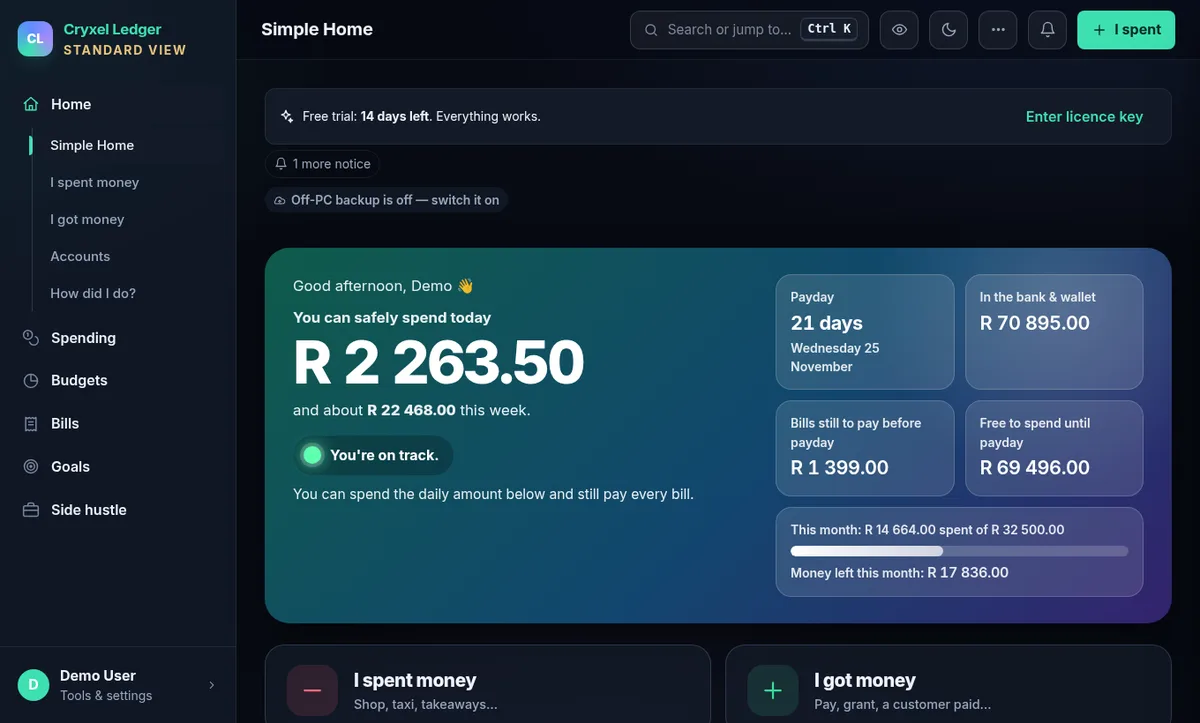
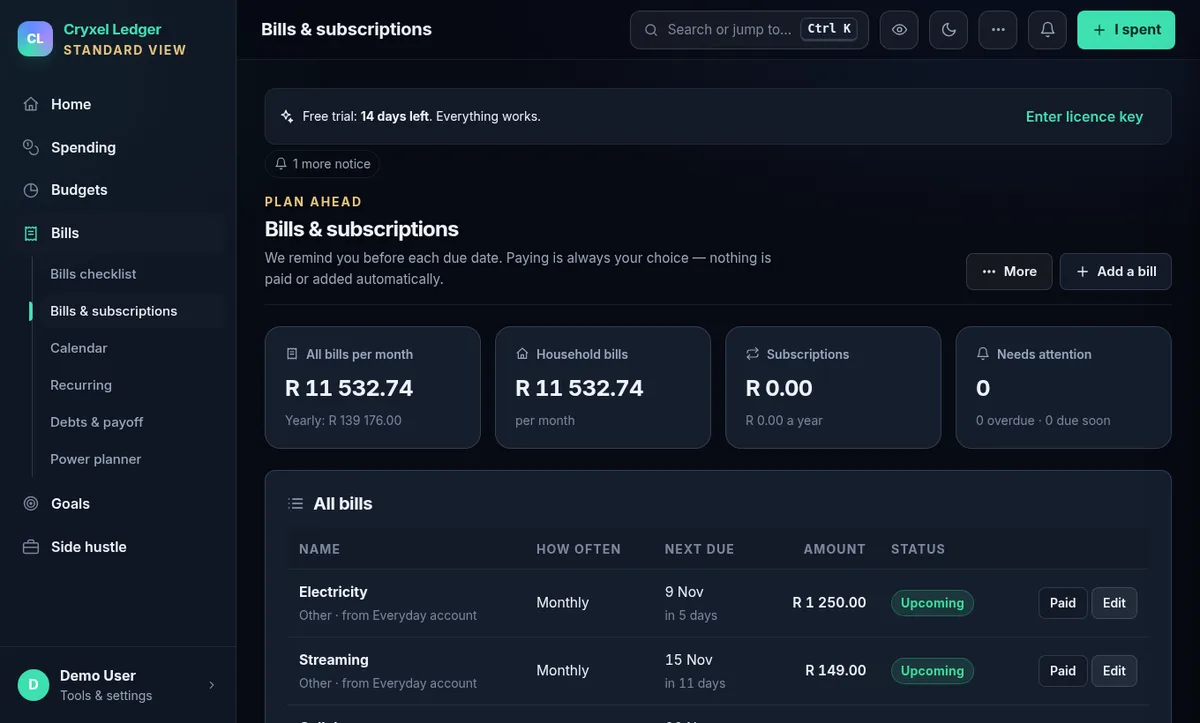
Screenshot uses made-up demo data.
the idea
Most money apps ask for your bank password or live in someone else’s cloud. Cryxel Ledger takes the opposite approach: everything stays in a database on your own computer, and the app never connects to your bank.
Per-user installer. No admin rights needed, no certificates added to Windows.
Type them, import a bank CSV you downloaded, or paste a bank SMS / payment email.
Bills before payday are set aside; you see what you can spend today.
One-click backups to a folder you choose (for example your OneDrive folder).
capabilities
Bills due before your next payday are set aside first. Weekly, fortnightly and monthly paydays supported.
Rand amounts, SA tax year (1 March), load-shedding slots, grants, taxi and fuel categories ready to go.
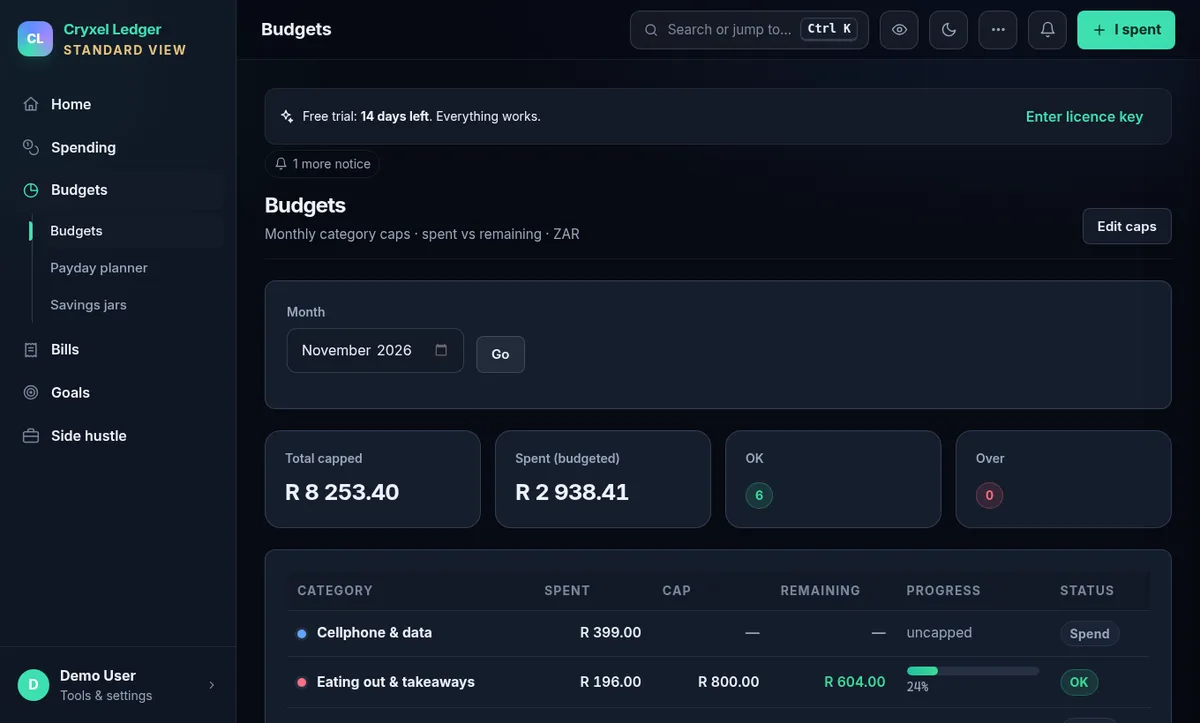
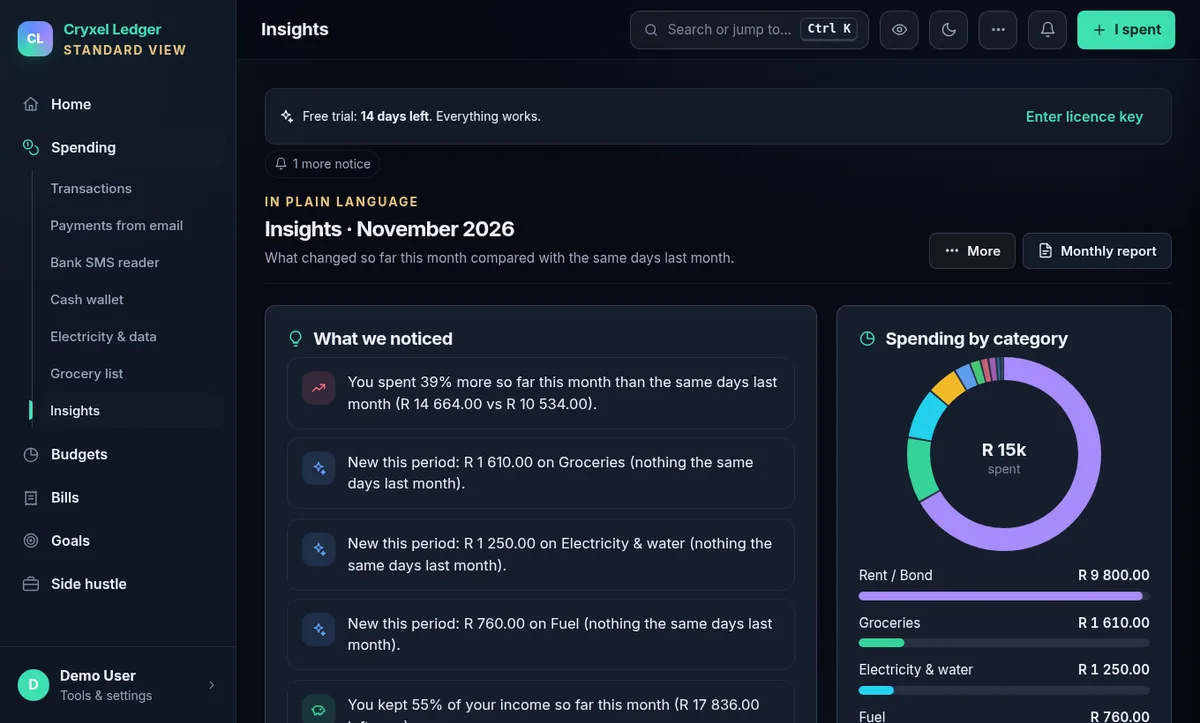
Set a cap per category, see spent vs remaining, and get plain-language insights on what changed.
Recurring bills with reminders, a debt planner and a net-worth view that updates as you go.
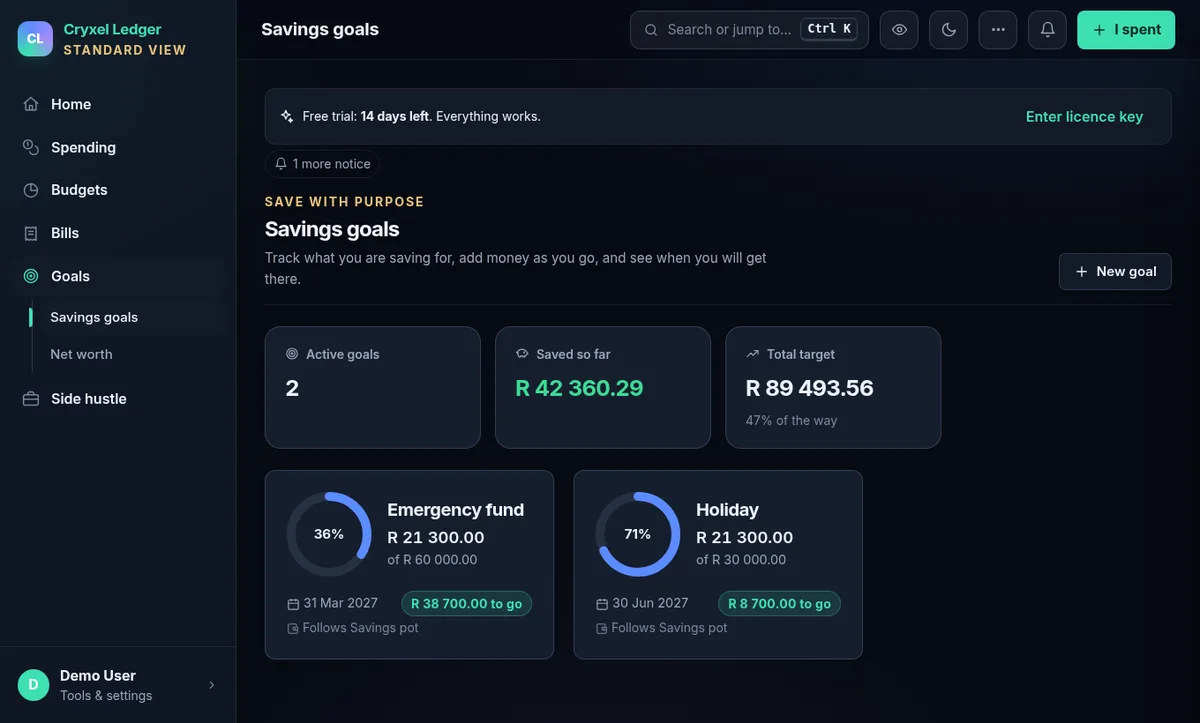
Track emergency funds and holidays, with progress rings and target dates.
Customers, quotes and invoices with 150 printable document designs and PDF tools.
Import bank CSVs, or paste a bank SMS or payment email and let the app suggest the entry. Optional receipt scanning.
Several people on one PC, each with their own sign-in, plus a kids’ pocket-money corner.
English, Afrikaans, isiZulu, isiXhosa, Sesotho; high-contrast and colour-blind themes.
in the app
Real screenshots from the app with made-up demo data.
pricing
One-time price in South African rand, as shown at checkout.
trust, but verify
Every release is checksummed and meant to be scanned before it is published. Check it yourself in under a minute.
Cryxel Ledger 6.2.1 · Windows 10/11 64-bit
Get notified coming soon — launching shortly
The download and the store open shortly — email us to be told the moment they do.
4c714d0410aa638d75181ca628e37aefad228fb9652023c39e3980c390fcd643Also in SHA256SUMS.txt beside the download. VirusTotal report for this exact file (scanned 4 November 2026: 0 of 68 engines flagged it): open the report
Get-FileHash .\CryxelLedger-Setup-6.2.1.exe -Algorithm SHA256Compare the output with the hash on the left. If it differs, do not run the file.
questions
SmartScreen warns about any installer that is new or not signed with a paid code-signing certificate. Cryxel Ledger is an independent product from a one-person studio and the installer is not yet digitally signed, so Windows shows “Windows protected your PC” — this is about reputation and signing, not a detected virus.
Before you click More info → Run anyway, check the file’s SHA-256 against the value published on this page (see below) and, if you like, look at the public VirusTotal report. If the hash does not match, do not run it — delete it and email us.
Open PowerShell in the folder you downloaded to and run:
Get-FileHash .\CryxelLedger-Setup-6.2.1.exe -Algorithm SHA256The long hex value must be identical to the one in SHA256SUMS.txt and on the download section of this page (letters are case-insensitive). Any difference means the file was altered or corrupted — do not run it.
It is really offline and it never asks for bank logins or card numbers. Cryxel Ledger runs on your PC and keeps everything in a local database. You add money in and out by typing, by importing a bank statement CSV you download yourself, or by pasting a bank SMS or payment email into the app. It makes no connection to your bank.
No. The app contains no telemetry or analytics and does not send your financial data anywhere. Your data lives in %LOCALAPPDATA%\CryxelLedger on your computer. See the privacy page.
Install it and use every feature for 14 days. After the trial the app becomes read-only: you can still open everything, export your data and make backups — you are never locked out of your own records — until you enter a licence key.
Your licence key is delivered by the store you buy from (receipt email / download page). Paste it into Settings → Licence. Keys are checked offline on your PC, so no internet connection is needed to activate.
Cryxel Ledger keeps everything on your PC and never emails you, so it gives you a one-time recovery code when you create your account (and whenever you make a new one in Settings → Password recovery). It is shown once — copy it, print it or save it as a text file and keep it somewhere safe.
If you forget your password, press Forgot my password on the sign-in screen (on the same PC), type your sign-in name and the code, and choose a new password. The code then stops working and you are given a fresh one. Too many wrong tries pauses the sign-in for a few minutes. Without your password, recovery code or security answers nobody can open your data — not even us — so please keep the code safe and make backups.
Email cryxelstudio@gmail.com from the address you bought with and include your order number or receipt. We verify the purchase and, once confirmed, re-send your key. Your data is not affected by a lost key.
Yes: ask within 14 days of purchase for a full refund, no questions asked, by emailing us. This is in addition to your rights under the Consumer Protection Act and the ECTA. Details on the terms page.
Windows 10 and Windows 11, 64-bit. The app opens in its own window using Microsoft Edge WebView2 (the installer includes the Microsoft component and installs it only if it is missing). It is not available for Mac or phones; a phone companion page can be opened over your home Wi-Fi.
No. By default it installs for your Windows user only. The installer adds no certificates to Windows and makes no changes to your security settings. Uninstalling keeps your data folder so you cannot lose records by accident.
English, Afrikaans, isiZulu, isiXhosa and Sesotho are built in, with rand (ZAR) amounts, SA payday habits, load-shedding slots and the South African tax year in mind.
No. Those figures are aids that depend on what you enter. Check them against your own records or a registered professional before relying on them.